I wanted to make my website in a way that would teach me more about web dev instead clicking through another template. Instead of using Wix, Squarespace, or Canva I wanted to learn how each part of the website worked and was placed there. This project quickly changed from learning basic things like GIT and turned into experimenting with LLMs I ran locally.
Portfolio Website
How I made this website.
Table of Contents
Overview
Process
The website started in a Figma document which helped to organize a clean moodboard, create a chart mapping out how I was expecting all the subsites to connect, and plan out possible content. As the project developed further I organized each subpage. Even projects in progress were also brainstormed in Figma. I could have used any 'infinte' board like Illustrator or Affinity but Figma and was most convient just for the free cloud hosting for the file.
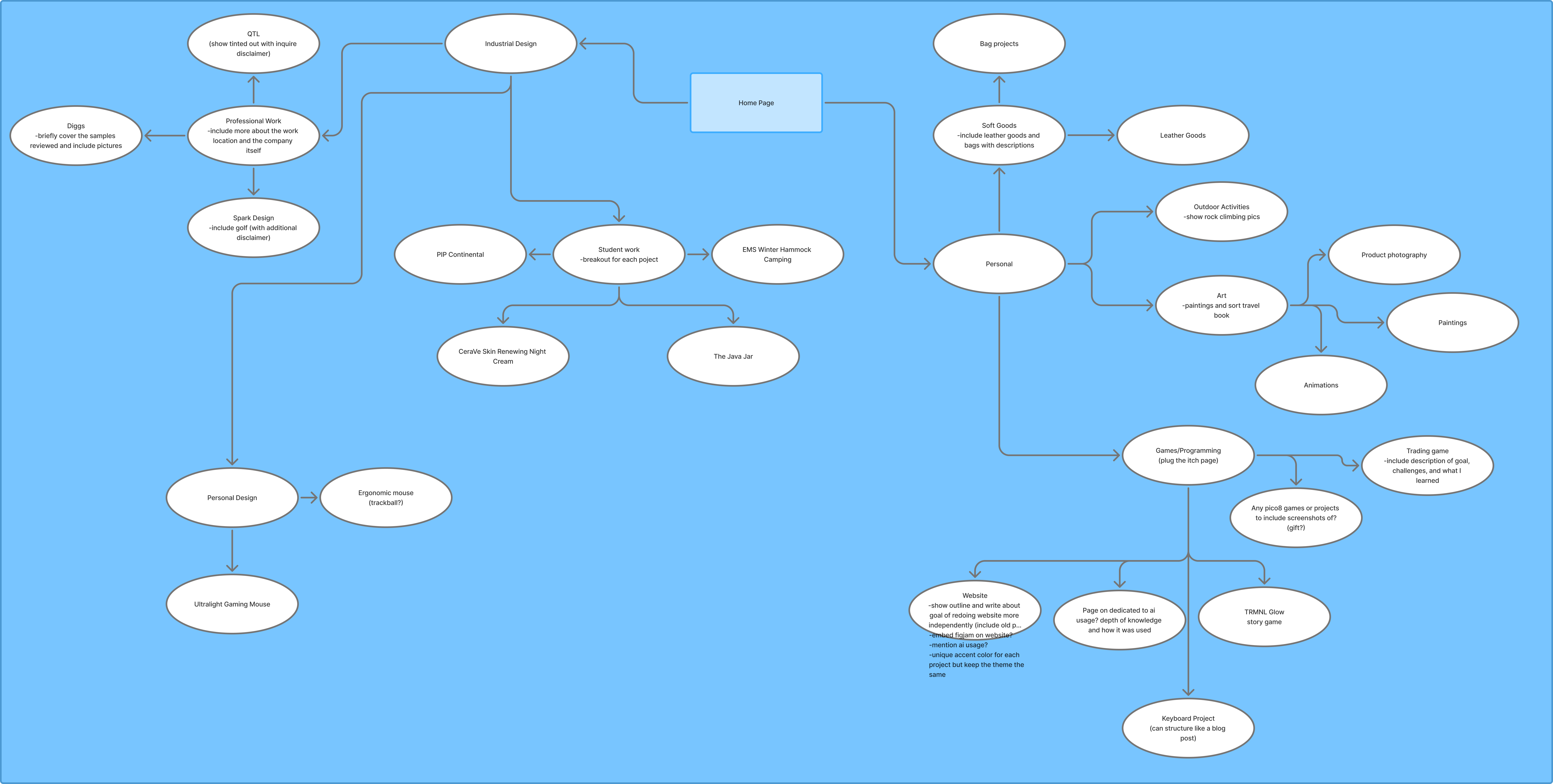
Flow chart outlining page navigation
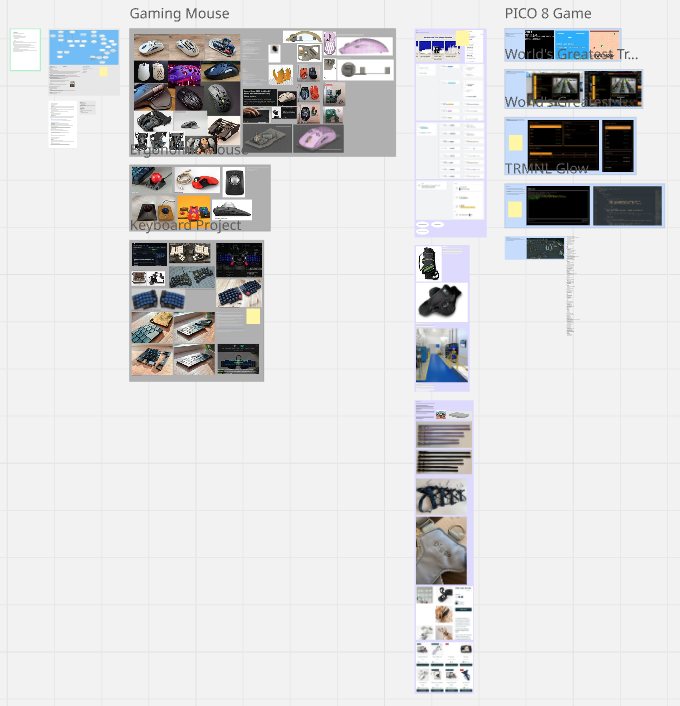
Miro board outlining all of the content for the website
AI Tools
I first used Claude Sonnet 4.5 which was the free tier to just make a minimal html boilerplate. As I experimented with different parts of the website, I often asked other free AI models for assistance like the free Chatgpt and Gemini models. These were great resources to use like tutors, asking how to do something and why it works the way it does. As the files for the website got larger and larger I found that I was still able to understand how everything worked and what each part did.
The AI development landscape went through many changes while working on this website. Many tools emerged that allowed for direct AI integration into the workflow to automate work which I looked into. I did not use Claude Code because it went more proprietary which it's structure but used VScode and Opencode which worked very well with my Ollama models. To use AI within my IDE I decided to run the LLMs locally on a consumer gaming PC. For most of the websites development I used the Cline extension in VScode but experimented a bit with Opencode in the terminal. Cline was used the most because it felt more consistent with my workflow.
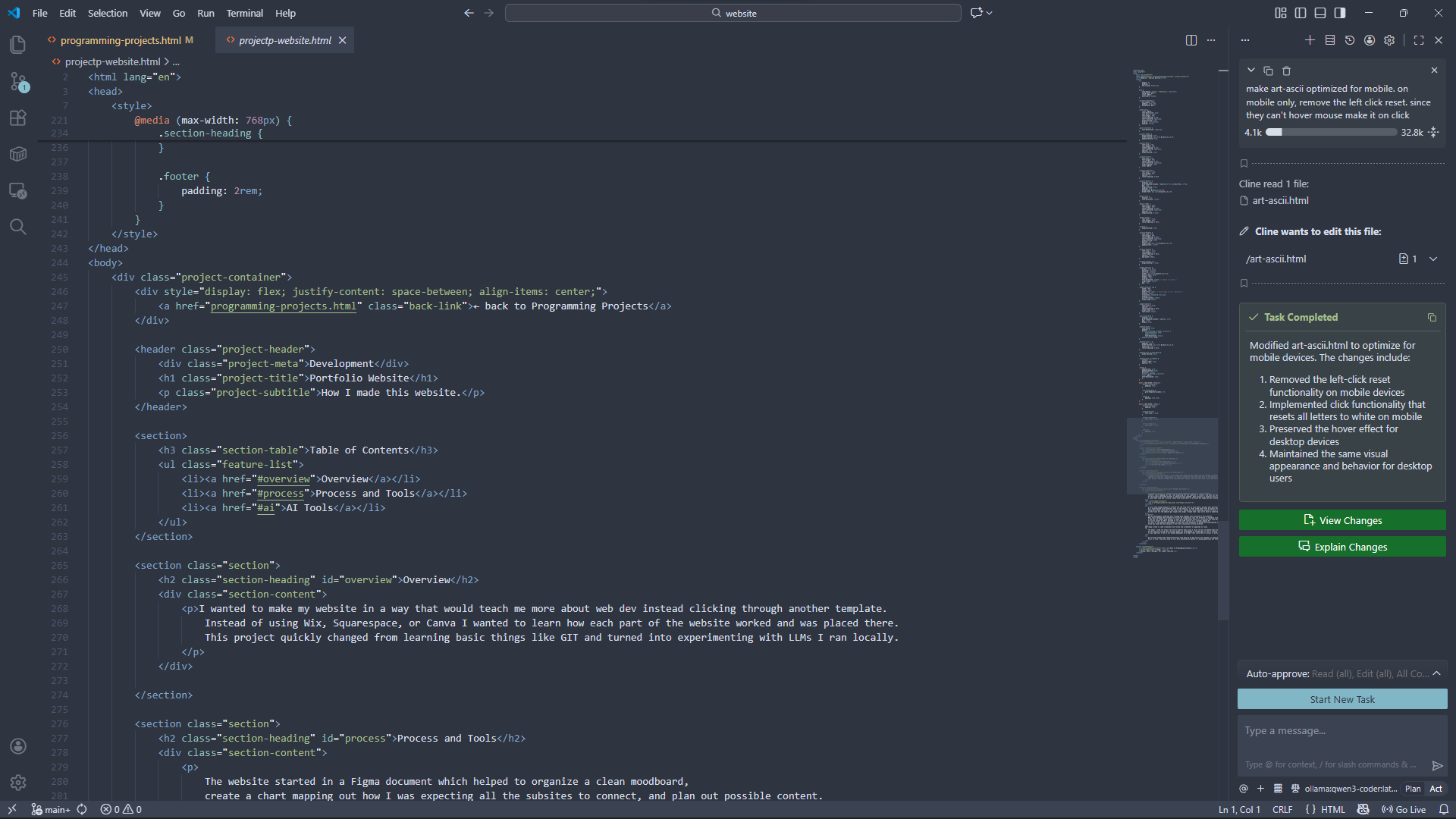
VS code with Cline chat window. How AI was mostly used in the development of this website.
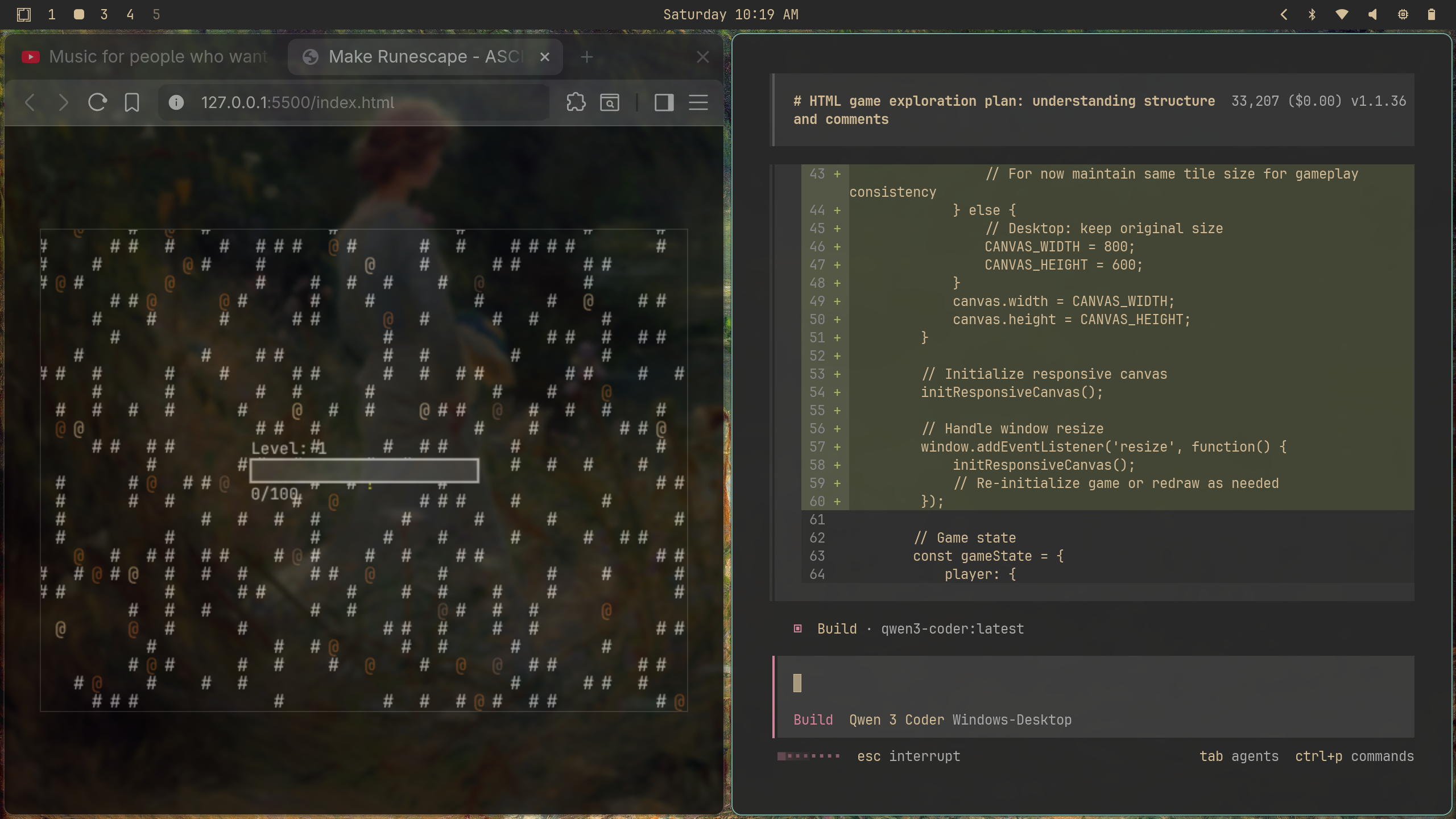
Opencode was used to make Pocketscape. VS Code was just used for a live server.
The model I used for almost the entire website when using a local LLM was the Qwen3-Coder:32b but I experimented with some DeepSeek models as well. At the time of writing this the best model for programming is Claude Opus 4.5 but I focused on what I could run myself at no cost. It was important to me to not become dependent on a model that could have its access or pricing change. While making the website many new AI development shifts occurred including strictly CLI based prompting as writing in a IDE became "outdate". I started using Opencode for alternate projects, some of which were integrated into the site but since most of the website is my own work, using an IDE for development was still more helpful. At this stage in my ability I don't need to run multiple parallel agents with Ralph loops but keeping up on how development changes has been helpful as AI tools become more practical in non-coding applications (from accounting to 3D CAD).
All of the content and creative decisions were done by me but AI was very helpful in replicating changes, solving errors I didn't want to solve, and provided the much needed assistance at large road blocks. Prior to this I had only used AI in a more conversation method for asking questions but this gave me a lot more experience in the different methods of automating work flow.